ASPL Operations Guide v 1.00
© 2025 Bassem W. Jamaleddine
In this guide, the mnemonic of each symbolic set operator is shown in its own page. The page starts with a box, called syntax box, where the operator and a brief title is heading the box. At the bottom of the syntax, you can locate information about the property of the operator, along the input and output of the operator.
Let's look at the f& operator shown in figure C.1. The operator syntax is described in a box called "syntax box". At the bottom of the box, there are two entries showing ins: and ous: (ins is followed by the shape of input operands or anonymous groups the operator expect, and ous is followed by the shape of its output). For more information about the shape of a variable, refer to SHAPES in "ASPL User Guide".
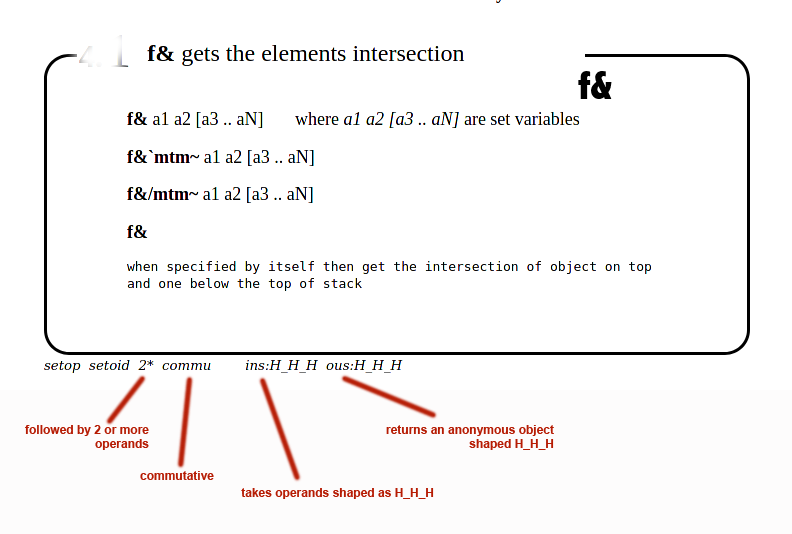
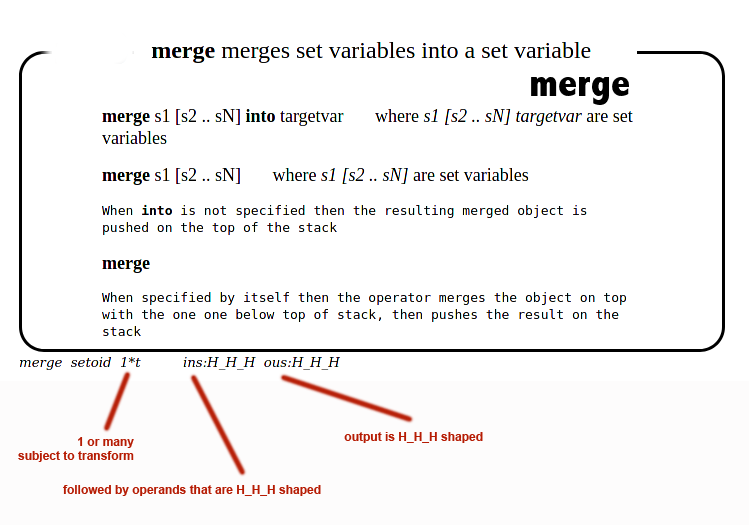
Figure C.2 shows the merge operator in its syntax box.
At the bottom of the box, the ins: and ous: are followed by the shape of the objects being fetched and generated respectively.
"ASPL Operations Guide" is a valuable guide that describes the syntax of each set operator in a box.
The ins and ous, shown at the bottom of the syntax box, describe
the shape of the input expected, and the shape of the object generated by the set operator.
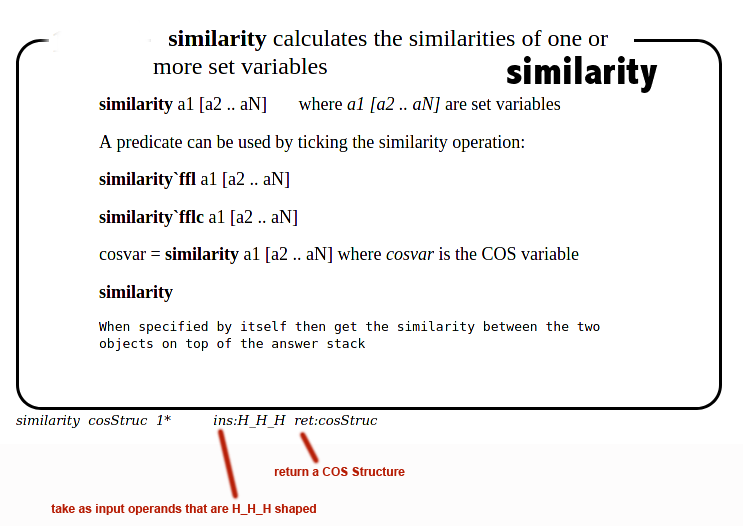
A symbolic operator may not generate a shaped output, but returns something else, in which case a ret: is followed
by the type of return value.
The ins and ous, shown at the bottom of the syntax box, describe
the shape of the input expected, and the shape of the object generated by the set operator.
A symbolic operator may not generate a shaped output, but returns something else, in which case a ret: is followed
by the type of return value.
Figure C.3 shows the syntax box of the similarity operator that takes H_H_H shaped operands but returns a COS structure.