ASPL User Guide v 1.00
© 2025 Bassem W. Jamaleddine
8. 2Finding Files with the Same Name but with Different Contents
The operator f&`c~ locate the elements by the same name whose checksums differ
Use the f&`c~ on each pair of set variables
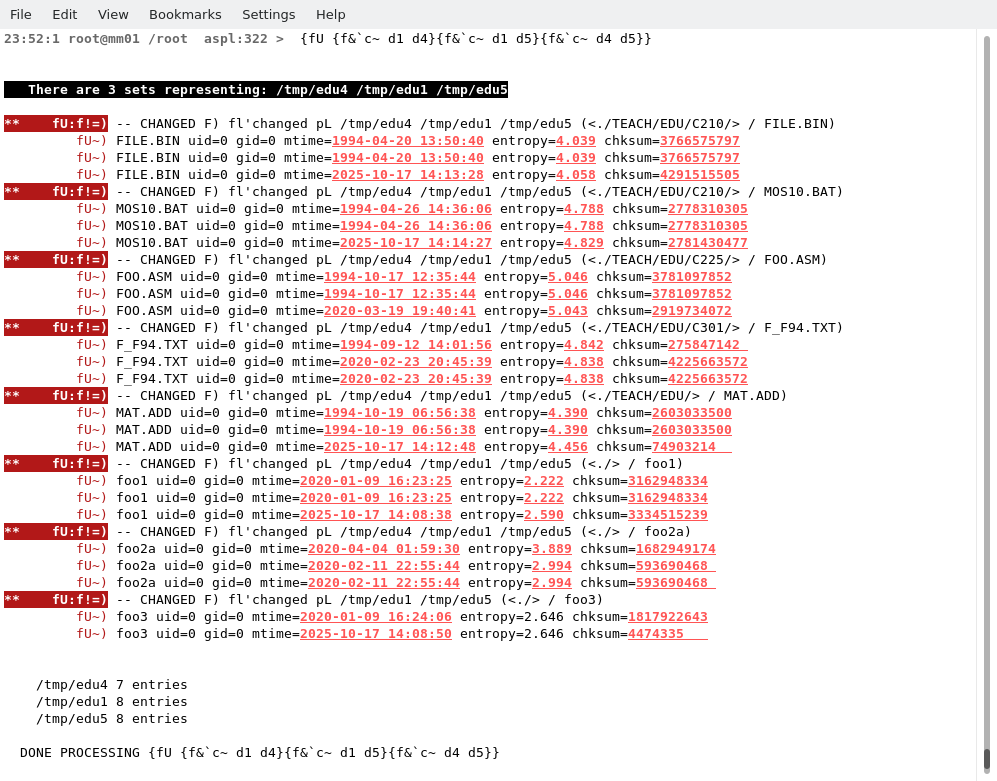
{fU {f&`c~ d1 d4}{f&`c~ d1 d5}{f&`c~ d4 d5}}
Finding Files with the Same Name but with Different Contents
The operator f& can find the elements intersection between two groups. Simply tick it with`c~ to form f&`c~; this is read as "find these elements intersection such that their element checksum attributes are different".
Applying f&`c~ to a pair of set variables representing directories on the UNIX filesystem, will result with the files that have the same name but with different checksums.
Finding Files with the Same Name but with Different ContentsIn this example, the three set variables d1, d4, and d5, represent the groups of files in three directories /tmp/edu1, /tmp/edu4, and /tmp/edu5, respectively. We want to find these files having the same name but their contents are different.
Finding Files with the Same Name but with Different Contents# aspl NIXDIR
aspl>
{fU {f&`c~ d1 d4}{f&`c~ d1 d5}{f&`c~ d4 d5}}
(find the elements in d1 d4 d5 with same name but different checksum)
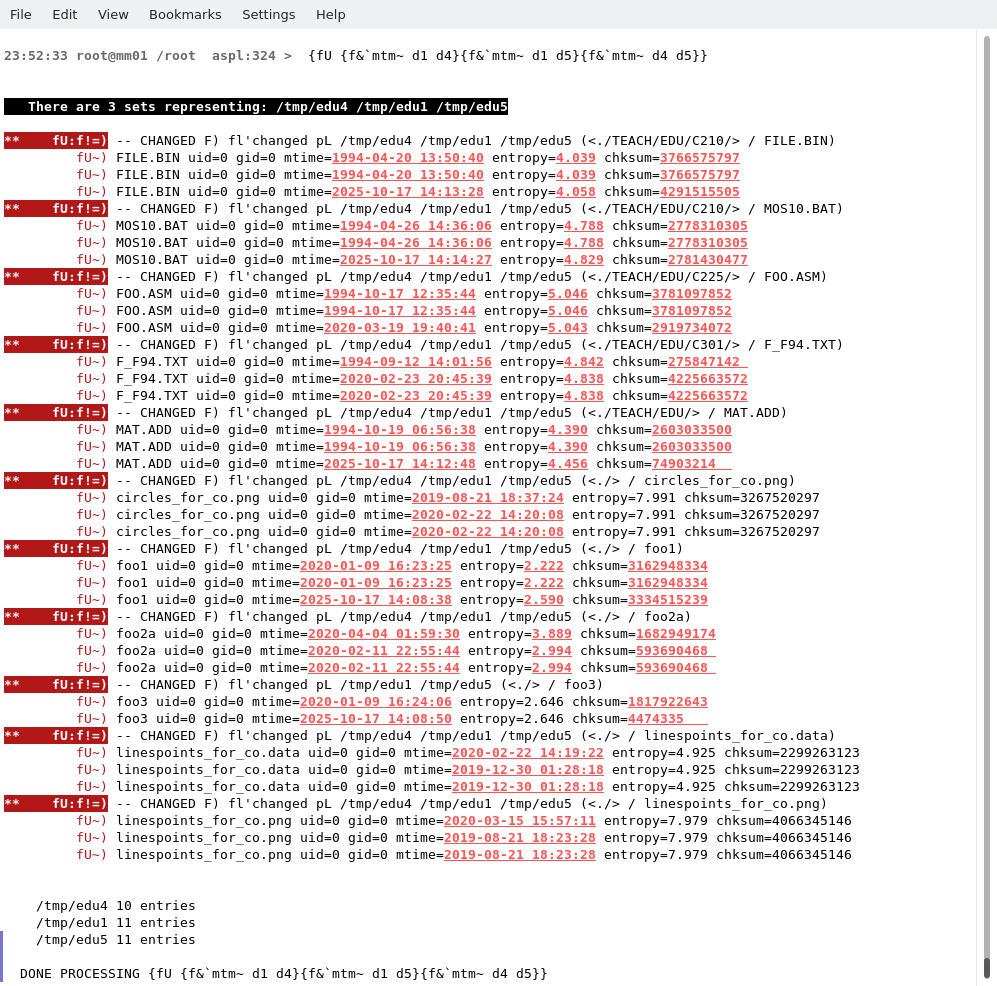
The following command find the files with the same name nit with different time
aspl>
{fU {f&`mtm~ d1 d4}{f&`mtm~ d1 d5}{f&`mtm~ d4 d5}}
(find the elements in d1 d4 d5 with same name but different mtimes)