ASPL User Guide v 1.00
© 2025 Bassem W. Jamaleddine
22. 3GEO Random Polygons in Three 2D Planes
Find the intersecting polygons in two 2D planes
ELEMENTS-GROUPING-CLASS: GEOPLANES
Sample workspace: POLY3PLANES
GG-function: ggRPI3Pov()
geometric set intersection
f& T1 T2 T3 where P1 P2 are set variables
geometric set difference
f\ T1 T2 T3
GEO Random Polygons in Three 2D Planes
The element-grouping-class GEOPLANES contains the metadata describing the coordinates of polygons to be drawn in 2D planes. The sample workspace POLY3PLANES has the grouping class GEOPLANES. ASPL will treat the set operations f& and f\ as geometric set operations on the set variables of POLY3PLANES.
GEO Random Polygons in Three 2D Planes
The sample workspace POLY3PLANES shows how to use ASPL operators to do contextual set operations on geometric data. This workspace's element grouping class is GEOPLANES, therefore ASPL switches the set operators f& and f\ to do contextual set intersection and set difference according to contextual routines, here they are the GEOmetric routines.
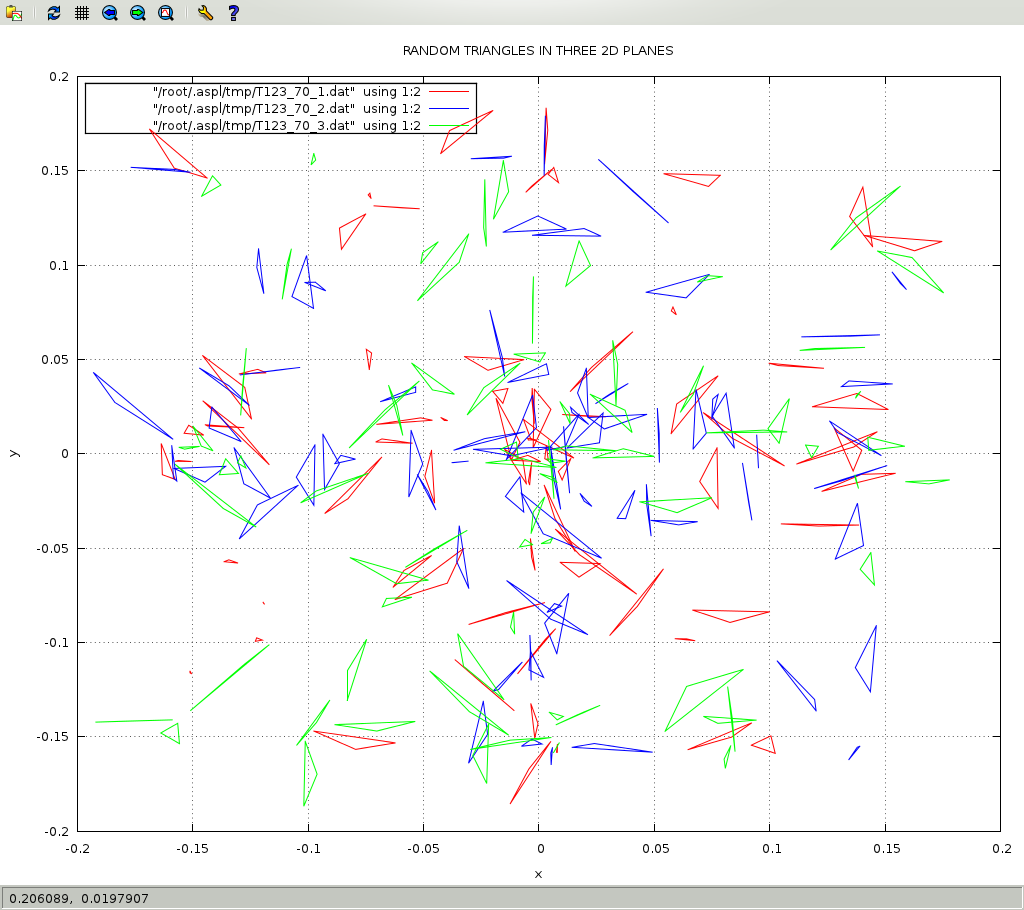
In this example we will call the GG function ggRPI3Pov() to create 70 random polygons, namely triangles, in two 2D planes. The result is assigned to T123_70, and the labeling of the planes are P1 and P2. We also supply an optional named file (nmfl) using the same name as the variable T123_70 to have the function emit the code to draw T123_70.
GEO Random Polygons in Three 2D Planes
① aspl>
egCwhoami
(ping the GEOPLANES container)
② aspl>
ks x1 y1 x2 y2 x3 y3
(set the ks vector to shorten the displayed data )
③ aspl>
T123_70 = ggRPI3Pov(N,70,glb1,T1,glb2,T2,glb3,T3,nmfl,T123_70)
(get random polygons in 3 planes also generate named data in ~tmp)
④ aspl>
split T123_70 into T1 T2 T3
(split the variable T123_70 for the three planes)
⑤ aspl>
f& T1 T2 T3
(intersect the three planes)
⑥ aspl>
f\ T1 T2 T3
(get the difference between 1st plane and the other two planes)
⑦ aspl>
ans
(see the answer stack)
⑧ aspl>
pop T1_23
(pop the stack result into variable T1_23)
⑨ aspl>
pop T123
(pop the stack result into variable T123)
⑩ aspl>
ans
(see the answer stack)
⑪ aspl>
v
(display the variables in the symbol table)
⑫ aspl>
dumpgad T123_70
(dump GADg of T123_70 writing it to a file in ~tmp directory)
⑬ aspl>
dumpgad T1_23
(dump GADg of T1_23 writing it to a file in ~tmp directory)
⑭ aspl>
dumpgad T123
(dump GADg of T123 writing it to a file in ~tmp directory)
⑮ aspl>
hs
(see history of commands)
⑯ aspl>
bye
(this will save everything)
This example is shown in the following terminal.
To draw the data, at the UNIX prompt, change to your ASPL ~tmp directory, and invoke the script drawgeogad on the dumped GAD data:
#
cd `asplcmd ~tmp`
shortcut command to change to your ASPL's tmp directory
# drawgeogad T123-gad-aspl.tobj
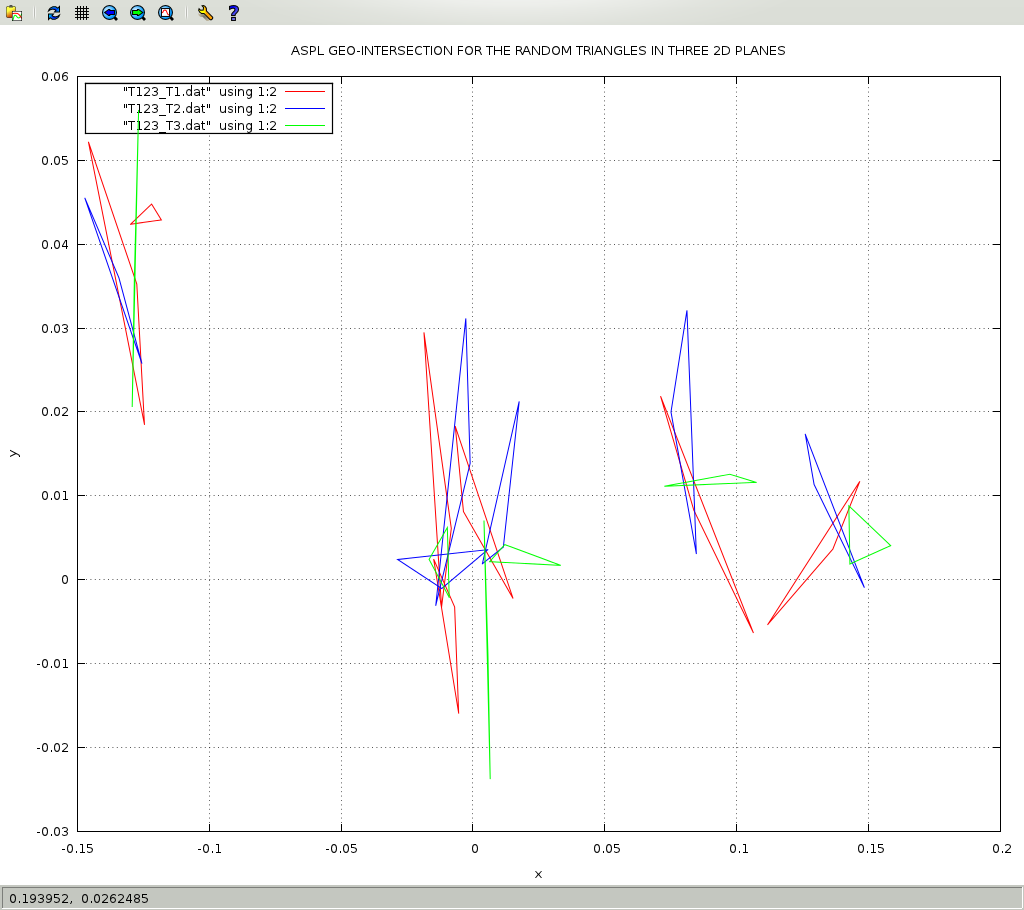
Some files are generated in the ~tmp directory. Inspect the head of the fiile T123_T1.dat where you can locate the following command to draw the data:# gpdata3 T123_T1.dat,1:2wl T123_T2.dat,1:2wl T123_T3.dat,1:2wl
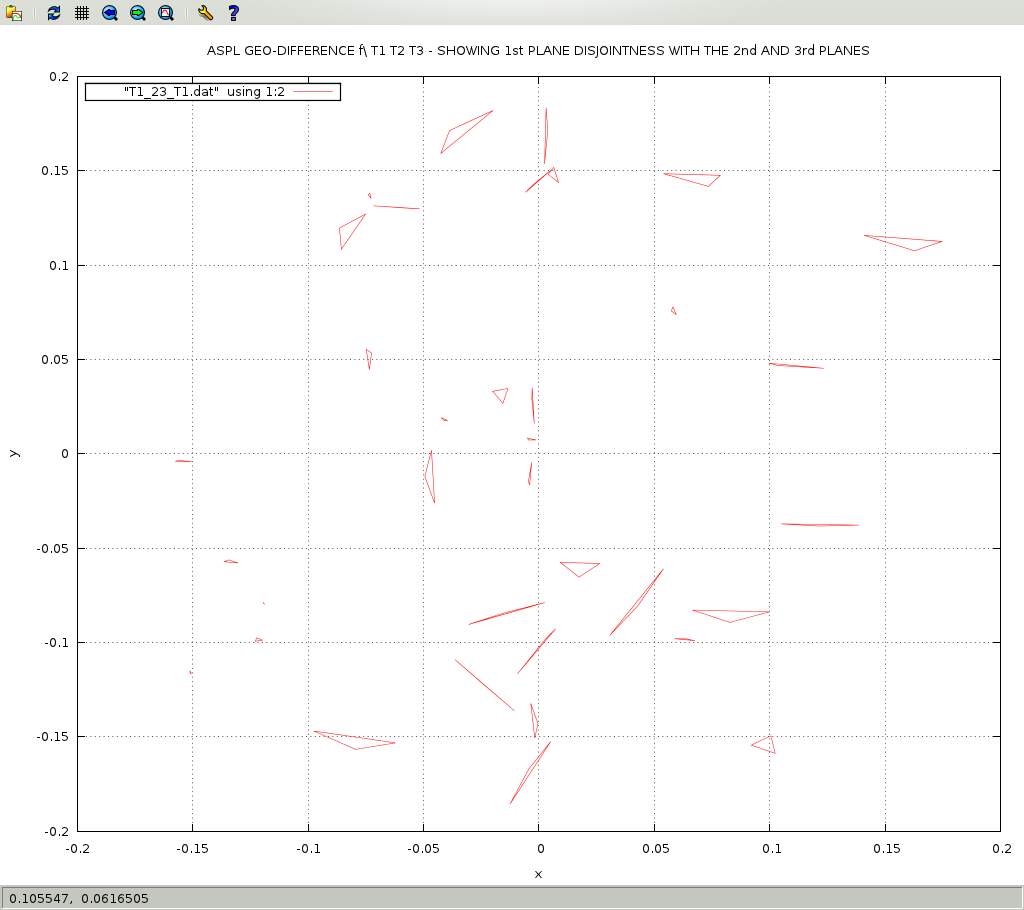
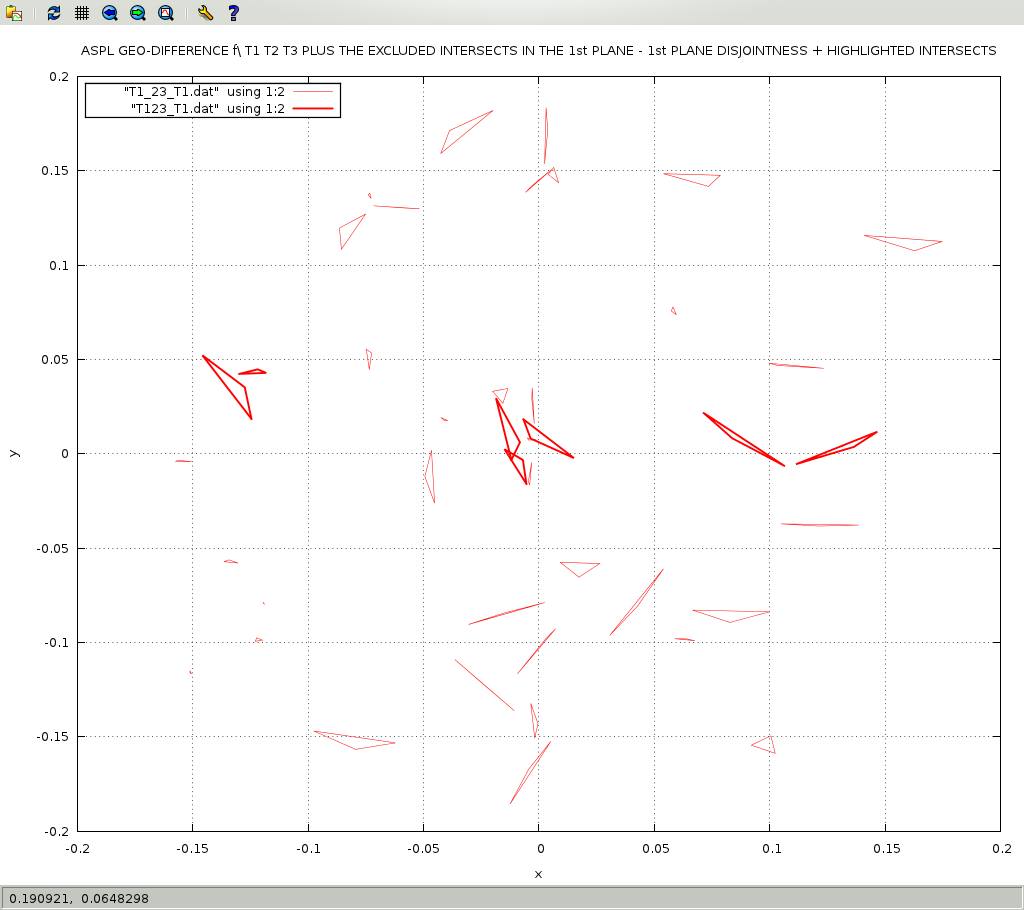
Repeat the operations on the file T1_23-gad-aspl.tobj# drawgeogad T1_23-gad-aspl.tobj
# gpdata3 T1_23_P3.dat,1:2wl
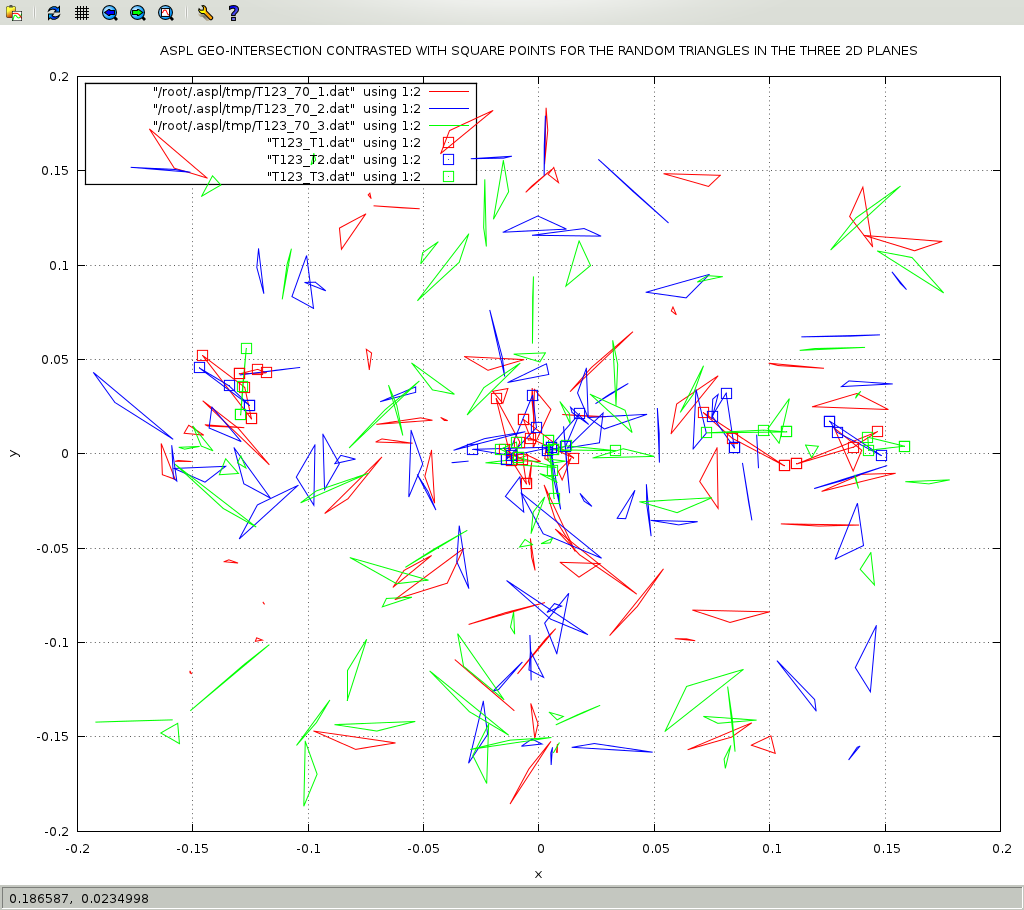
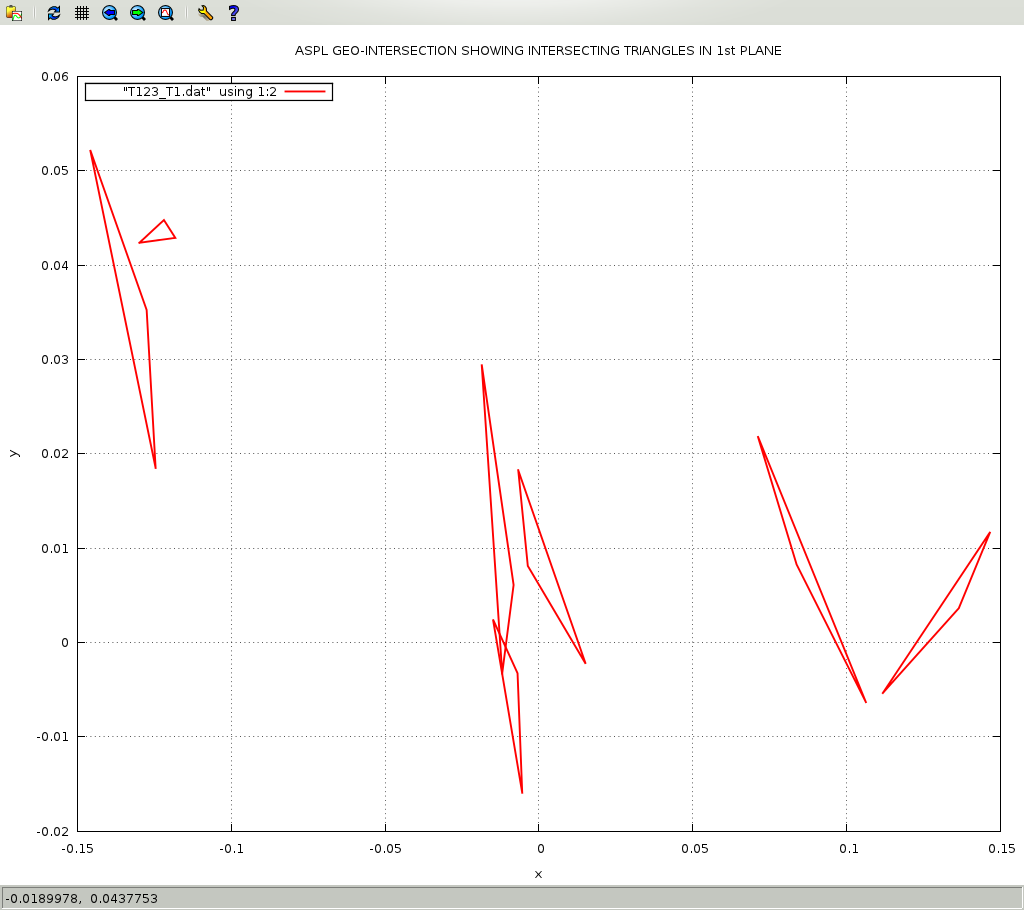
Since ggRPI3Pov() generates random triangles, therefore the result will be different from the figures shown below.
THE FOLLOWING ARE THE DRAWING COMMANDS USED TO CAPTURE THE FIGURES:
# gpdata3 T123_T1.dat,1:2wl-rgb-red T123_T2.dat,1:2wl-rgb-blue T123_T3.dat,1:2wl-rgb-green -title "ASPL GEO-INTERSECTION FOR THE RANDOM TRIANGLES IN THREE 2D PLANES"
# gpdata3 T123_70_1.dat,1:2wl-rgb-red T123_70_2.dat,1:2wl-rgb-blue T123_70_3.dat,1:2wl-rgb-green -title "RANDOM TRIANGLES IN THREE 2D PLANES"
# gpdata3 T123_70_1.dat,1:2wl-rgb-red T123_70_2.dat,1:2wl-rgb-blue T123_70_3.dat,1:2wl-rgb-green T123_T1.dat,1:2wp-pt-4-ps-1.7-rgb-red T123_T2.dat,1:2wp-pt-4-ps-1.7-rgb-blue T123_T3.dat,1:2wp-pt-4-ps-1.7-rgb-green -title "ASPL GEO-INTERSECTION CONTRASTED WITH SQUARE POINTS FOR THE RANDOM TRIANGLES IN THE THREE 2D PLANES"
# gpdata3 T123_T1.dat,1:2wl-lt-4-lw-1.9-rgb-red -title "ASPL GEO-INTERSECTION SHOWING INTERSECTING TRIANGLES IN 1st PLANE"
# gpdata3 T1_23_T1.dat,1:2wl-lw-0.5 -title 'ASPL GEO-DIFFERENCE f\\\ T1 T2 T3 - SHOWING 1st PLANE DISJOINTNESS WITH THE 2nd AND 3rd PLANES'
# gpdata3 T1_23_T1.dat,1:2wl-lw-0.5 T123_T1.dat,1:2wl-lt-4-lw-1.9-rgb-red -title 'ASPL GEO-DIFFERENCE f\\\ T1 T2 T3 PLUS THE EXCLUDED INTERSECTS IN THE 1st PLANE - 1st PLANE DISJOINTNESS + HIGHLIGHTED INTERSECTS'