ASPL User Guide v 1.00
© 2025 Bassem W. Jamaleddine
22. 5GEO Random Polygons on Three Spheres
Find the intersecting polygons on three 3D spheres
ELEMENTS-GROUPING-CLASS: GEOSPHERES
Sample workspace: POLY3CLOUDS
GG-function: ggRPO3Sov()
geometric set intersection
f& S1 S2 where S1 S2 are set variables
geometric set difference
f\ S1 S2
GEO Random Polygons on Three Spheres
The element-grouping-class GEOSPHERES contains the metadata describing the coordinates of polygons to be drawn on 3D spheres. The sample workspace POLY3CLOUDS has the grouping class GEOSPHERES. ASPL will treat the set operations f& and f\ as geometric set operations on the set variables of POLY3CLOUDS.
GEO Random Polygons on Three SpheresThe sample workspace POLY3CLOUDS shows how to use ASPL operators to do contextual set operations on geometric data. This workspace's element grouping class is GEOSPHERES, therefore ASPL switches the set operators f& and f\ to do contextual set intersection and set difference according to contextual routines, here they are the GEOmetric routines.
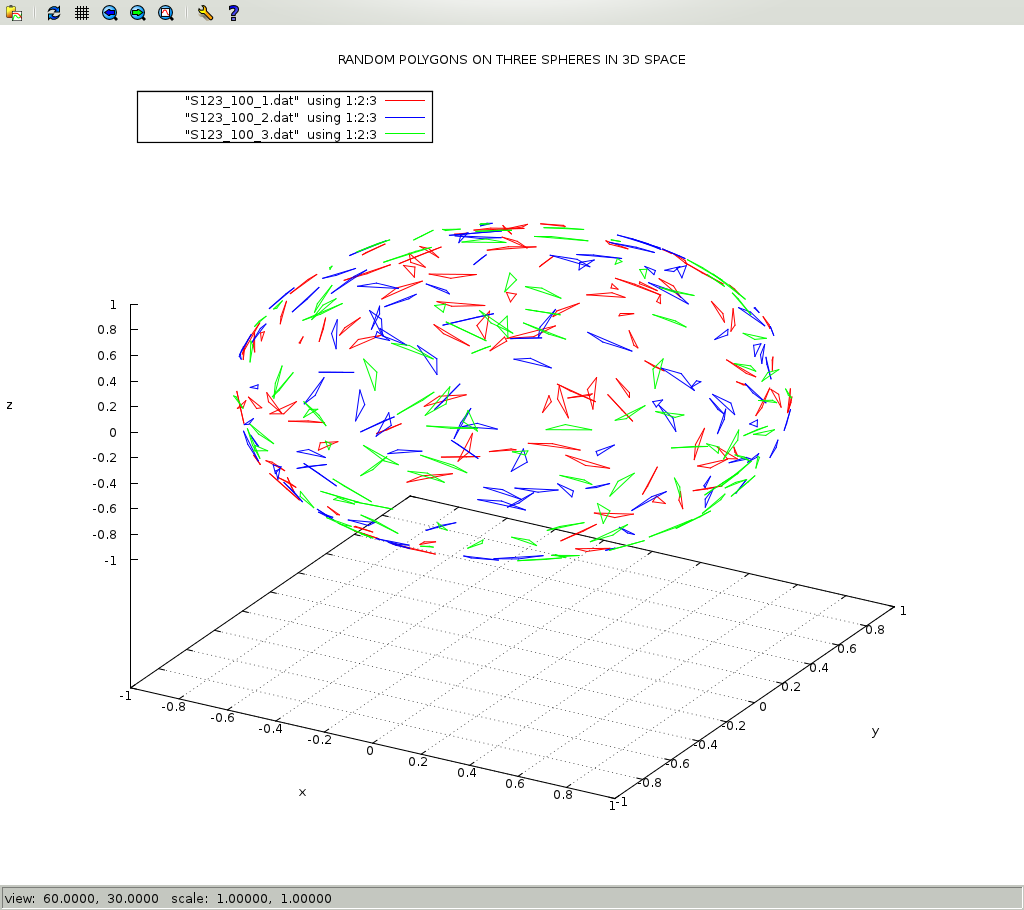
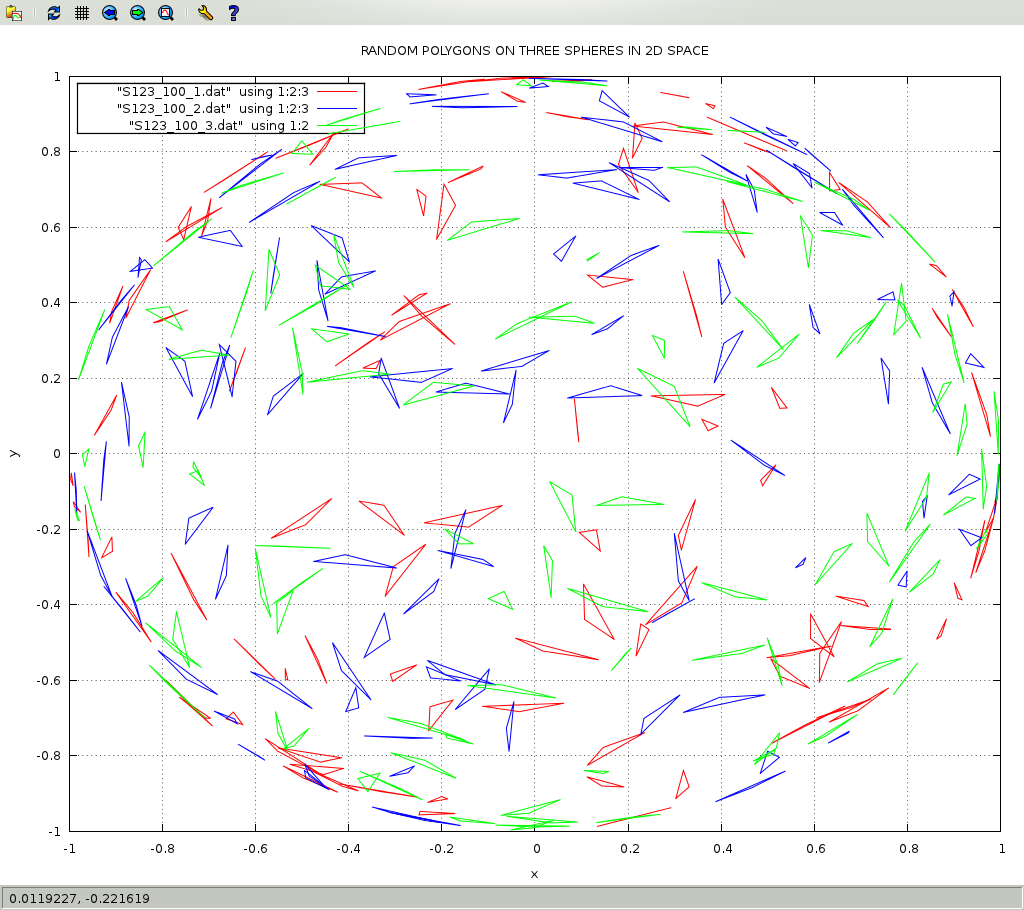
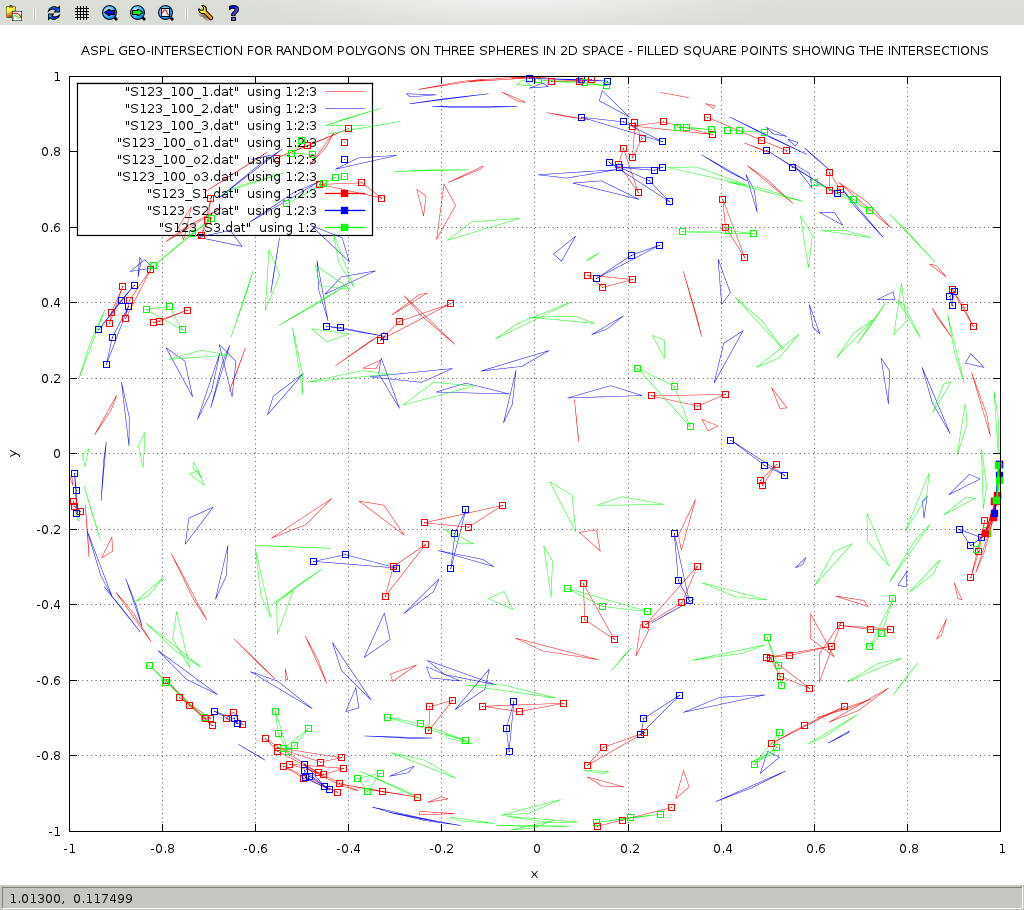
This workspace shows the power of ASPL set operators when performing operations on geometric data set. In this example we will call the GG function ggRPO3Sov() to create 100 polygons, namely triangles, on three spheres. The result is assigned to S123_100, and the labeling of the spheres are S1, S2, and S3.
GEO Random Polygons on Three Spheres
The following are the steps
create the random polygons calling the GG-function ggRPO3Sov() and assign the groups to set variable S123_100 split the resulting set variable S123_100 into three set variables S1, S2, and S3. call f& on S1 and S2 to get their intersects, and the result is pushed on the stack. call f& on S1 and S3 to get their intersects, and the result is pushed on the stack. call f& on S1 and S3 to get their intersects, and the result is pushed on the stack. call f& on S1 S2 S3 to get their intersects, and the result is pushed on the stack. pop the stack and assign the results to S123, S23, S13, S12, S23 respectively. finally dump the GADg of the variables so that we can plot them using the script drawgeogad.
On the UNIX prompt start ASPL by loading the sample workspace POLY3CLOUDS:
# aspl -wsname POLY3CLOUDS -groupingclass GEOSPHERES
At the ASPL prompt issue the following commands:
① aspl>
egCwhoami② aspl>
ks x1 y1 z1 x2 y2 z2 x3 y3 z3③ aspl>
S123_100 = ggRPO3Sov(N,100,hurst,2.37,glb1,S1,glb2,S2,glb3,S3,nmfl,S123_100)④ aspl>
split S123_100 into S1 S2 S3⑤ aspl>
v⑥ aspl>
f& S1 S2⑦ aspl>
f& S1 S3⑧ aspl>
f& S2 S3⑨ aspl>
f& S1 S2 S3⑩ aspl>
ans⑪ aspl>
pop S123⑫ aspl>
pop S23⑬ aspl>
pop S13⑭ aspl>
pop S12⑮ aspl>
pop S23⑯ aspl>
ans⑰ aspl>
v⑱ aspl>
dumpgad S123⑲ aspl>
dumpgad S12⑳ aspl>
dumpgad S23⑴ aspl>
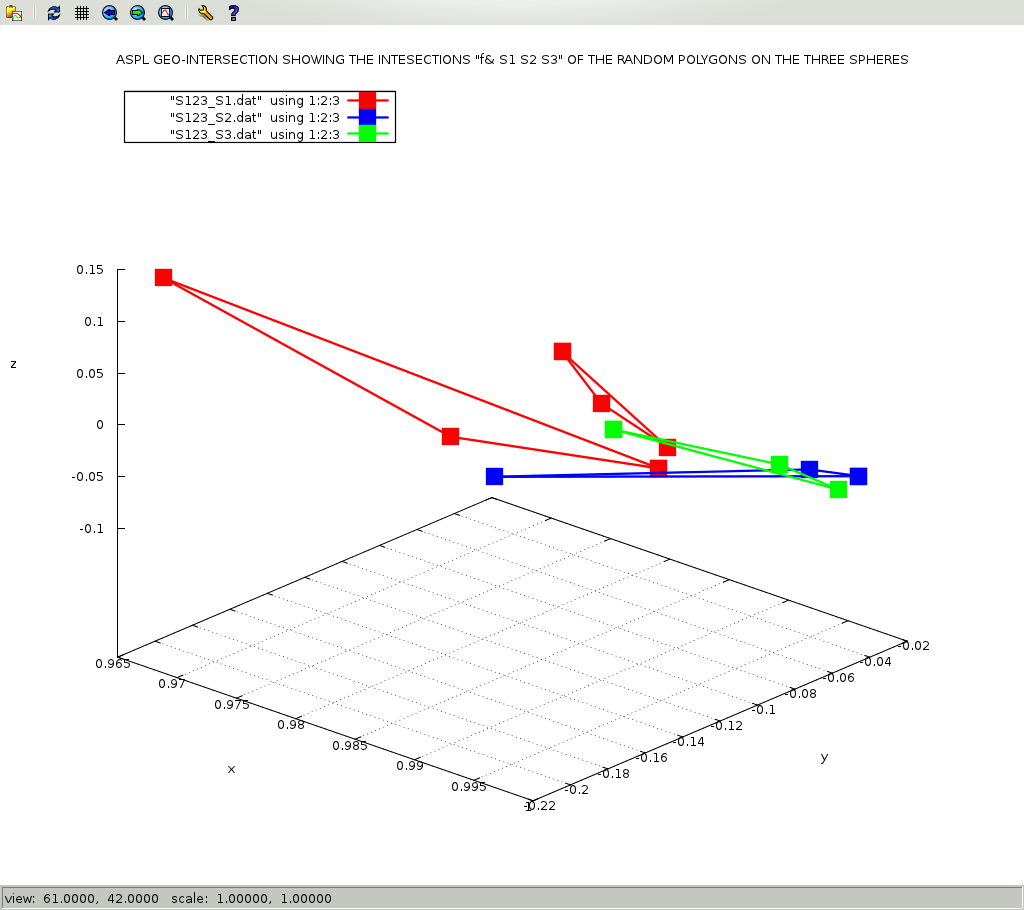
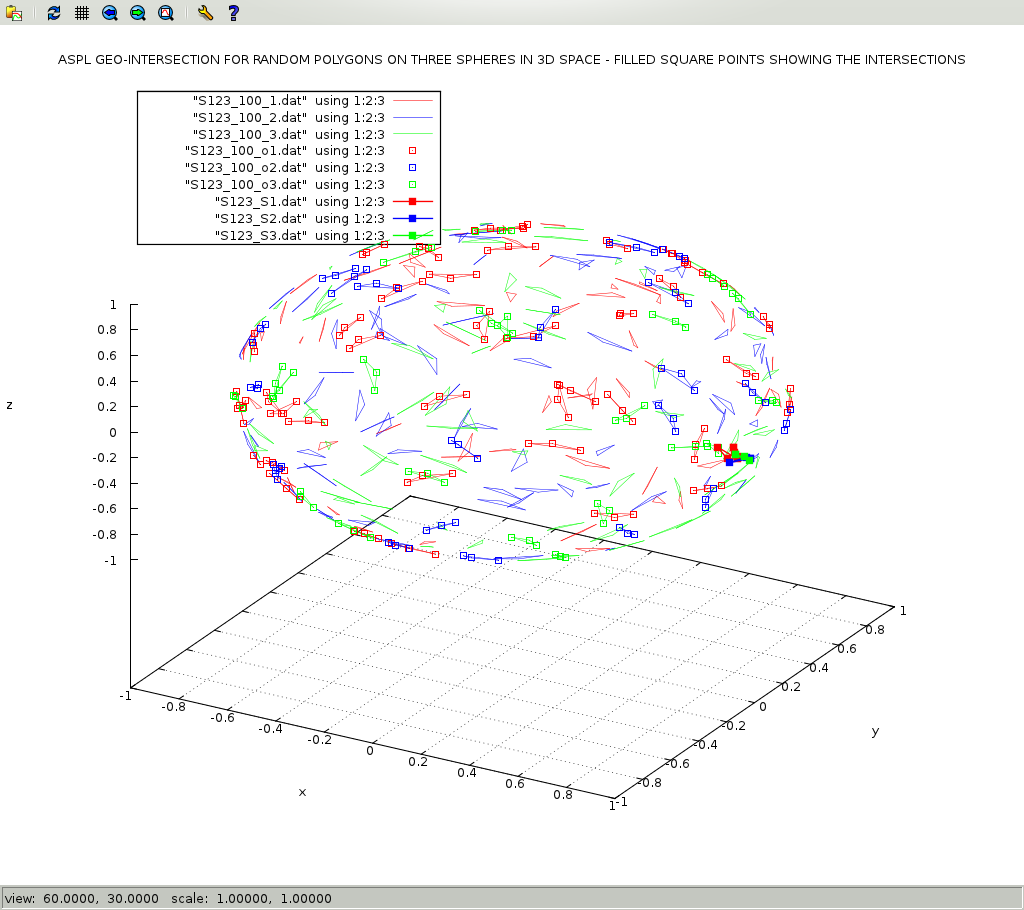
dumpgad S123_100The following figures are generated to show ASPL on doing set intersection and difference on geometric data sets.
This example is shown in the following terminal.