ASPL User Guide v 1.00
© 2025 Bassem W. Jamaleddine
21. 6Monitoring Water Level Between Two Bays
Monitoring Water Level Between Two Bays
ELEMENTS-GROUPING-CLASS: BAYLEVELGROUP
GG-function: ggbaylevel()
Script To Locate CRITICAL Water Level: bay12mon.pl
Script To Locate CRITICAL Water Level: bay12.sh
Get the water level:
waterleveltoday = ggbaylevel() where waterleveltoday is a set variable
Compound elements union when water level is CRITICAL:
{fU {f&`ks= CRITICAL BAY1} {f&`ks= CRITICAL BAY2}}Monitoring Water Level Between Two Bays
The following shows a simulation on monitoring the water level between two bays. We place three sensors on each bay, and tie each of them to attributes.
Create the element grouping class BAYLEVELGROUP:# metagrouping -creategrouping BAYLEVELGROUP -attributes "point1,t" "point2,t" "point3,t" \ "mean123,c,__mean123 point1 point2 point3 /[0.0,4.99] 1-5feet/[5.0,6.5] 5-6feet/>6.5 above7feet/" \ "point4,t" "point5,t" "point6,t" \ "mean456,c,__mean456 point4 point5 point6 /[0.0,4.99] 1-5feet/[5.0,6.5] 5-6feet/>6.5 above7feet/"
1.     #!/usr/bin/perl
2.
3.     use strict;
4.
5.     my $interpreter = "aspl -groupingclass BAYLEVELGROUP -wsname TRANSIENT";
6.
7.     for (1..17) {
8.     open(ASPL, "| $interpreter -STDIN") or die "ERROR OPENING A PIPE TO aspl:
      $! \n";
9.     print ASPL <<END;
10.    ;;redirecttoemail bassem\@localhost
11.    displayoff
12.    ks mean123 mtime aelm
13.    x = ggbaylevel()
14.    split x into BAY1 BAY2 CRITICAL GOOD WARN
15.    displayon
16.    {fU {f&`ks= CRITICAL BAY1} {f&`ks= CRITICAL BAY2}}
17.    END
18.    close ASPL;
19.    sleep 1;
20.    }
The following figure shows one of the moment when the water level between the two bays is critical.
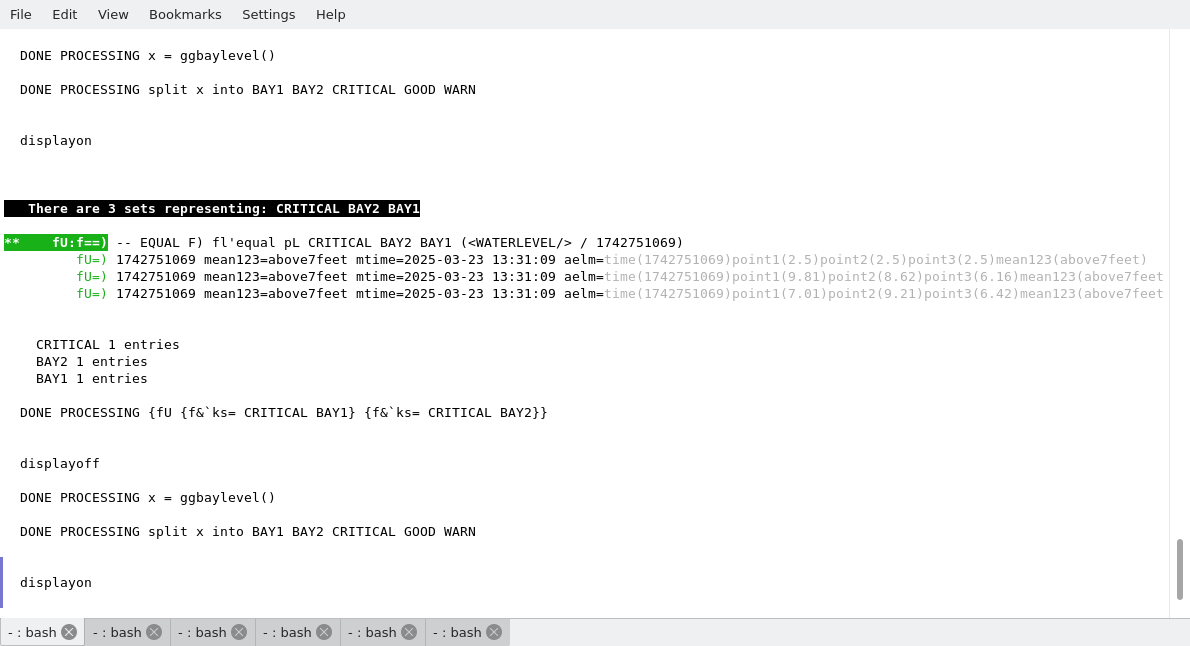
The following display shows the run of the script bay12mon.pl
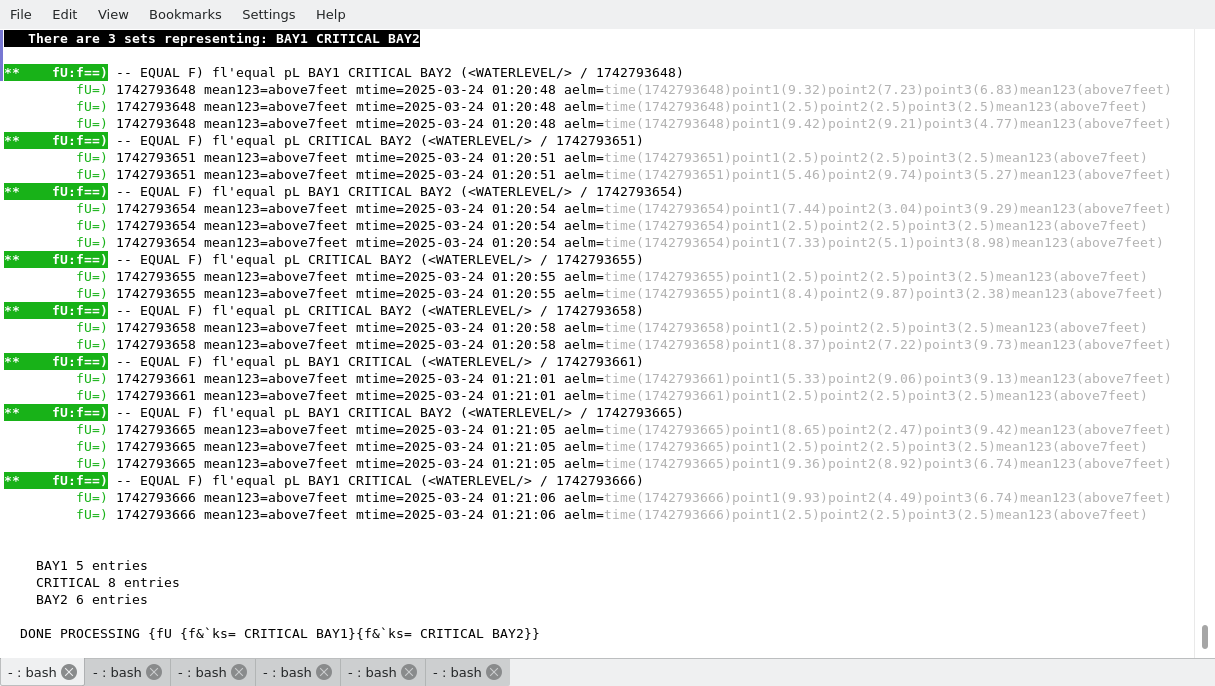
Alternatively, we can use the following one liner shell script to invoke ASPL on monitoring the water level. The command iterrogates the waterlevel in an iterative loop, then display the final result for all the moments when the water level reached a critical point.1. # . ./bay12.sh 2. asplcmd " \ 3. createworkspace TRANSIENT BAYLEVELGROUP; \ 4. waterleveltoday = ggbaylevel(); \ 5. ?20,1 waterleveltoday; \ 6. split waterleveltoday into BAY1 BAY2 CRITICAL GOOD WARN; \ 7. ks mean123 mtime aelm ; \ 8. {fU {f&\`ks= CRITICAL BAY1}{f&\`ks= CRITICAL BAY2}} \ 9. "
The following figure shows when the water level is critical. Notice that at times 2025-03-28 01:20:48, 01:20:54, and 01:21:05, the water level riched the critical level between BAY1 and BAY2. Before and after these times, the water level was fluctuating, some time it is being critical at BAY1 and some other time at BAY2.