ASPL User Guide v 1.00
© 2025 Bassem W. Jamaleddine
17. 1Rate of Change in the Elements of a Process: playchanges
Command: playchanges
Interrogate the set variable
?10,5 setvar interrogate setvar 10 times with 5 seconds delay
Display the differential set variable
@ setvar
Play the changes in differential variable setvar and show the rate of change
playchanges setvar where setvar is a set variable with historical
Play the changes between the variable and its first instance
playchanges setvar@1 setvar
Play the changes by explicitly specifying the instances of the variable
playchanges setvar@1 setvar@3
Explicitly specify the set operation to be played
playchanges gU,`ks~ setvar
Set intermittentarc to 1 to playchanges intermittently
intermittentarc 1
Set intermittentarc to 0 to playchanges between last instances of the differential variable
intermittentarc 0
Display the current setting of intermittentarc
intermittentarc
By default the playchanges implies the use of gD,`ks~ operator, therefore the following are equivalent
playchanges setvar
playchanges gD,`ks~ setvar
playchanges can be followed by any one of the following set operators:
gU g& g\ gD
dU d& d\ dD
fU f& f\ fD
Show changes in all the instances of the differential setvar at once
gD,`ks~ @setvar
how to get the Rate of Change in the Elements of a Process: playchanges
The command playchanges displays the changes in a differential set variable. The rate of change in the variable is shown once the command terminates execution.
By defauly, the command playchanges reveals the changes by using the pure symmetric difference operator: gD,`ks~
However, you can explicitly specify the command to be played by playchanges by following it with the desired set operator. The following are the allowed set operators: fU dU gU f& d& g& ... and can be ticked.
The operator playchanges can be followed by a set operator to
show the rate of change based on the specified operator.
When following playchanges with a set operator, it is important
to labinate the set operator on the right: eg. gD,`ks~ rather than ,gD`ks~
The comma is the labination operator, and in this particular case it must
follow the set operator: this will cause to save the result on the stack
that is needed by subsequent internal operations to get the rate of change
in the process.
The following example shows how to use the command playchanges to reveal the changes in a the process represented by the differential variable X that is created in the random bit group.
Start ASPL by loading the sample workspace RATECHANGES_RANDBIT in which we created and saved the differential group variables X. X represents the random group created with the function ggbitsubgS(), and that contains only one single labeled group.
Since the function ggbitsubgS() creates random subgroups and random elements whose attribute bits are assigned randomly to either number 0 or 1, therefore, by invoking the function at different (temporal) time the result is likely to be a different group content. We interrogate the set variable, hence causing it to be archived then updated (turning it into a group differential variable).
A sample view of playchanges is shown in the following figure. This capture shows the changes between X and X@5 that are one second apart. Note that X@5 is the last instance recorded in the differential group variable X.
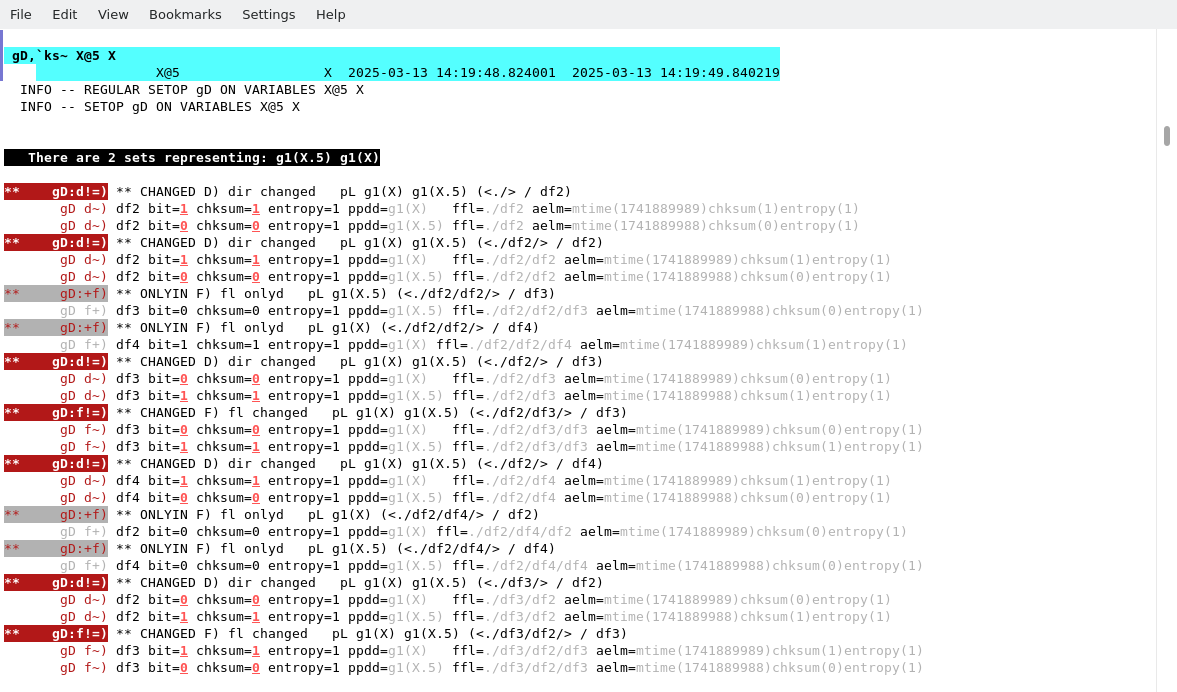
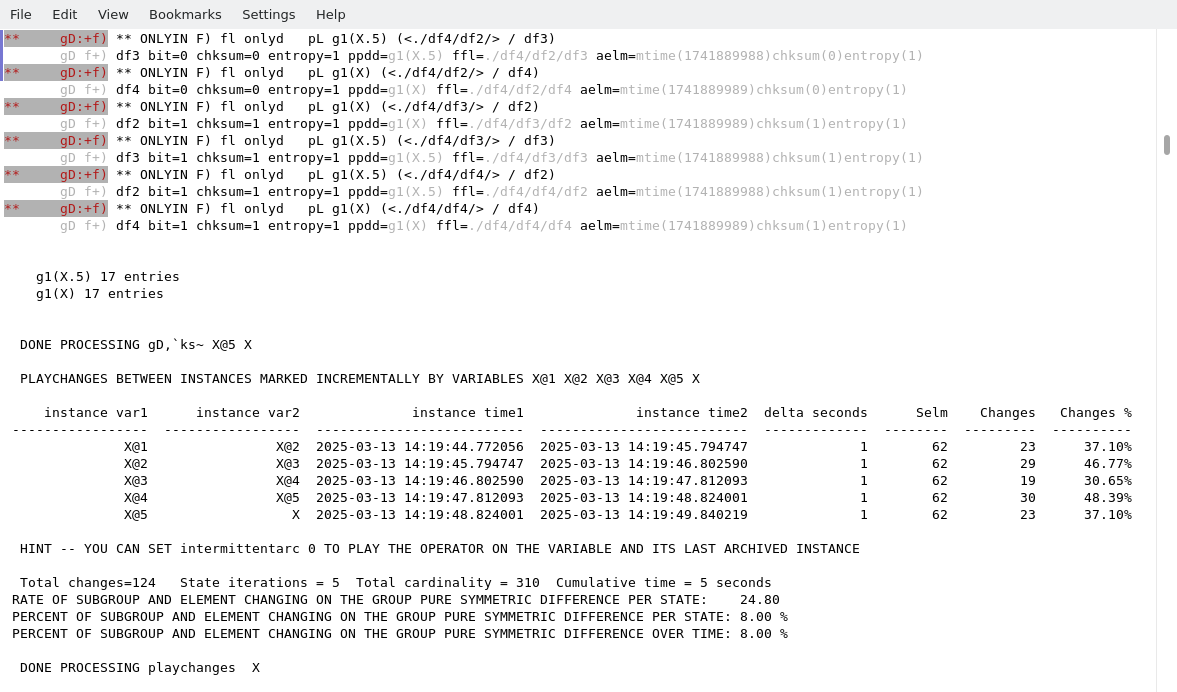
The following figure shows the rate of change in the differential group variable X.
The following figure shows the rate of "no change" (or unchange) in the differential group variable X. Note here we ticked the symmtric difference operator with`ks=
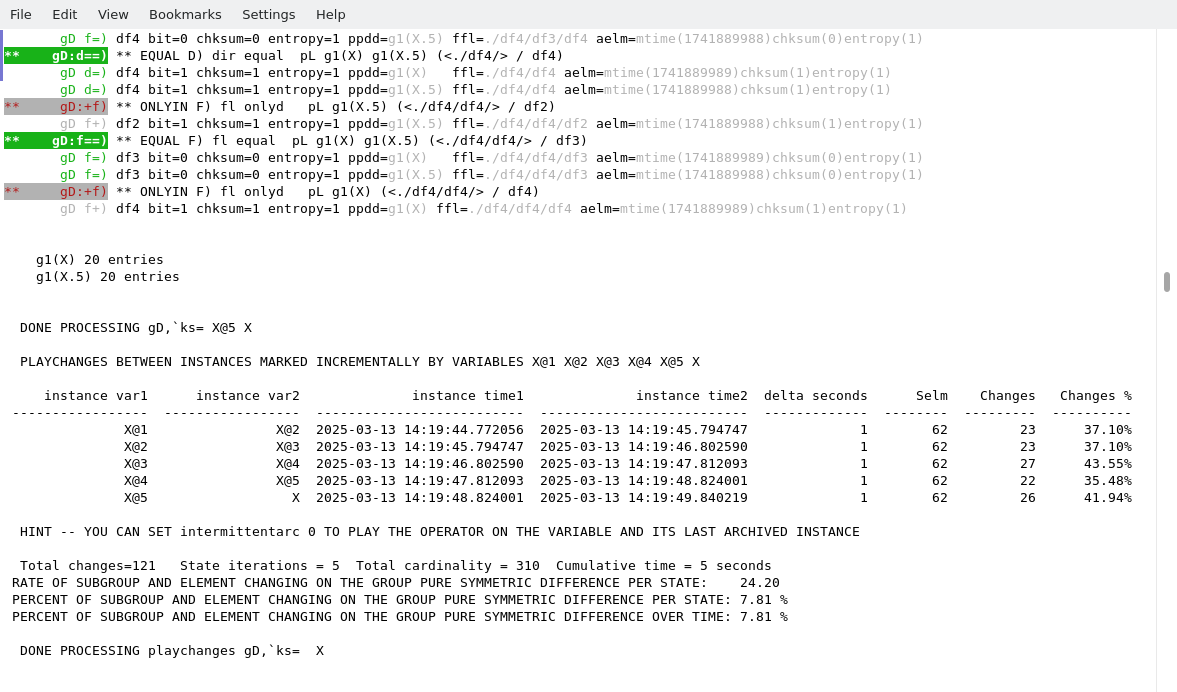
A full run of the playchanges command on X is shown in the following terminal.