ASPL User Guide v 1.00
© 2025 Bassem W. Jamaleddine
In ASPL, a group consists of groups, subgroups, elements, and their corresponding attributes. These attributes are described in their corresponding element-metadata-descriptor file: called the ELMD descriptor. Each element-grouping-class has one ELMD descriptor that contains the specification of the attributes:
ASPL loads the ELMD descriptor to create and load the appropriate classes within its element-grouping-class container: the egC-Container. Therefore, a group metadata is described in their related classes or modules contained in the egC-Container (Element Grouping Class Container).
You do not need to manage the egC-Container, and you can simply issue the one of the command at the shell prompt
# metagrouping -listnamedphrases
list the named element grouping classes in extended format
# metagrouping -listnamed
list the named element grouping classes
# metagrouping -list
list the named element grouping classes and ping their containments
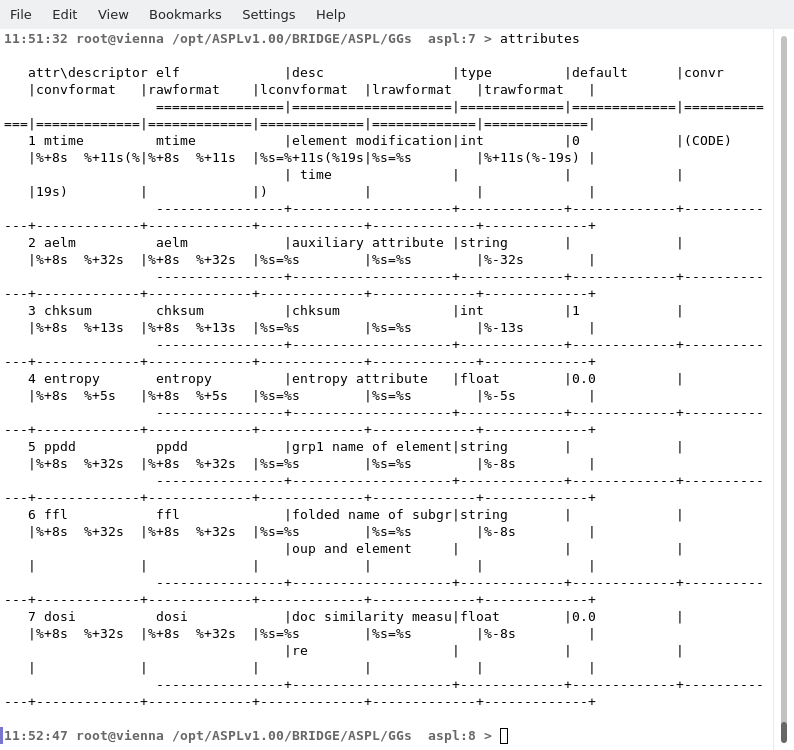
When you start ASPL by loading a namedspace, you can issue the command egCwhoami at the ASPL prompt to ping its active class that is loaded in the egC-Container. That is the command egCwhoami pings the egC-Container of the currently loaded namedspace. The egC-Container contains the classes that describe the metadata characteristics of ASPL groups. Typing the command attributes at the ASPL prompt displays the list of attributes defined for the loaded namedspace.
Figure shows the default startup of ASPL loading the workspace TRIVIAL. The wid command display the currently loaded workspace TRIVIAL. The egCwhoami pings the element grouping class that is used by TRIVIAL. Notice the line ASPL/Groupings/Elements/ZEROGROUP/Enode.pm that tells the element grouping class of TRIVIAL is ZEROGROUP.
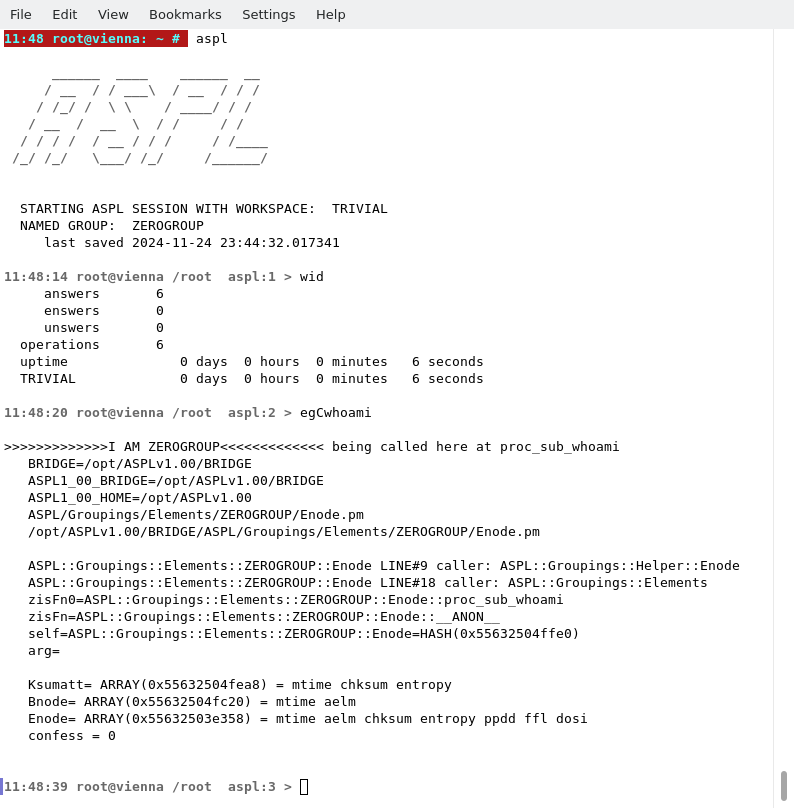
Figure shows the attributes defined for the TRIVIAL workspace.